Write and fix
“Draft five posts on this topic, with their categories.” “Replace the old name everywhere, but show me first.”
Ordomat connects your site to Claude Code. You describe the outcome you want. It shows you what it would change, then waits for your go-ahead.
Nothing to configure, no account to create. The assistant stays on your machine, the plugin on your server.
Which posts have images with no alt text?
Seventeen posts, fourteen of them published. Here they are, most read first.
Write them, but show me first.
Dry run41 images, 41 descriptions proposed. Nothing was written. Shall I apply?
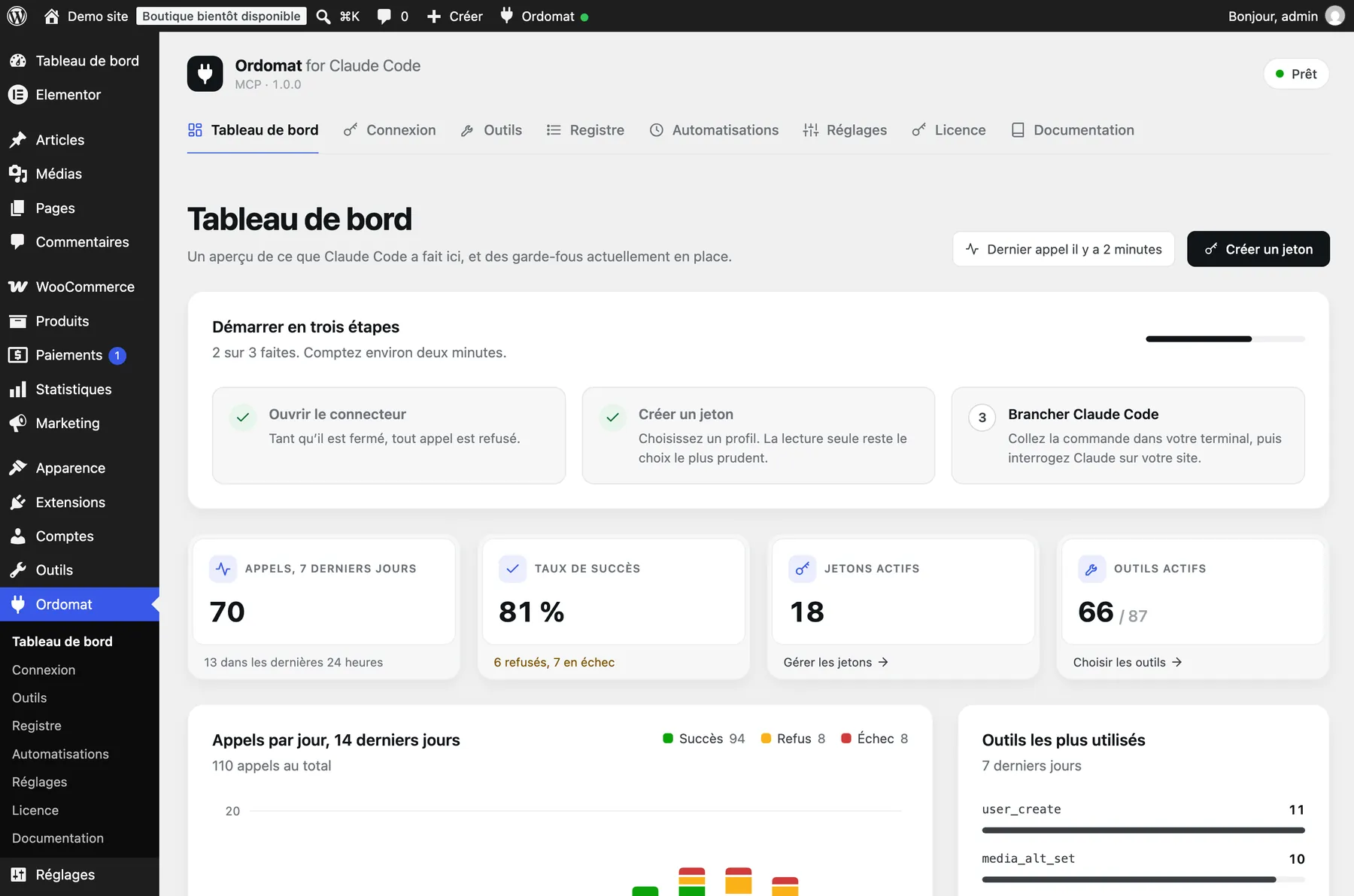
One screen tells you what the assistant has done, what it can still do, and what is stopping it.
You state the outcome you want. The syntax is its problem.
“Draft five posts on this topic, with their categories.” “Replace the old name everywhere, but show me first.”
“What is wrong here?” It reads site health, dead links, content without images, plugins behind on updates.
“A home page: banner, three arguments, testimonials, call to action.” In whichever builder the site already uses.
“Create these forty products from my spreadsheet, prices and categories included.” “Twenty percent off this category until Sunday.”
“When an order goes above this amount, tell my system.” “When a post goes live, send it to my email tool.”
“The site went down around two.” It reads the log, lines it up against what changed at that moment, and names the likely culprit.
The assistant runs on your machine. The plugin lives on your server. Between them, a door you open and close.
Every call passes three checks before it lands. The strictest one wins, always.
A token shows once, can be revoked, and can expire on its own. It is stored hashed: even reading your database will not recover it.
Every tool that changes something can first describe what it would do, touching nothing. Bulk replace refuses to run without a preview.
Every call logged, refusals included: the account, the address, the duration, what changed. Secrets are masked.
One button closes the connector and revokes every token. Nothing gets through, whatever token is presented.
Ordomat contacts no service on its own. Every door to the outside is a setting you open, and the screen shows them all.
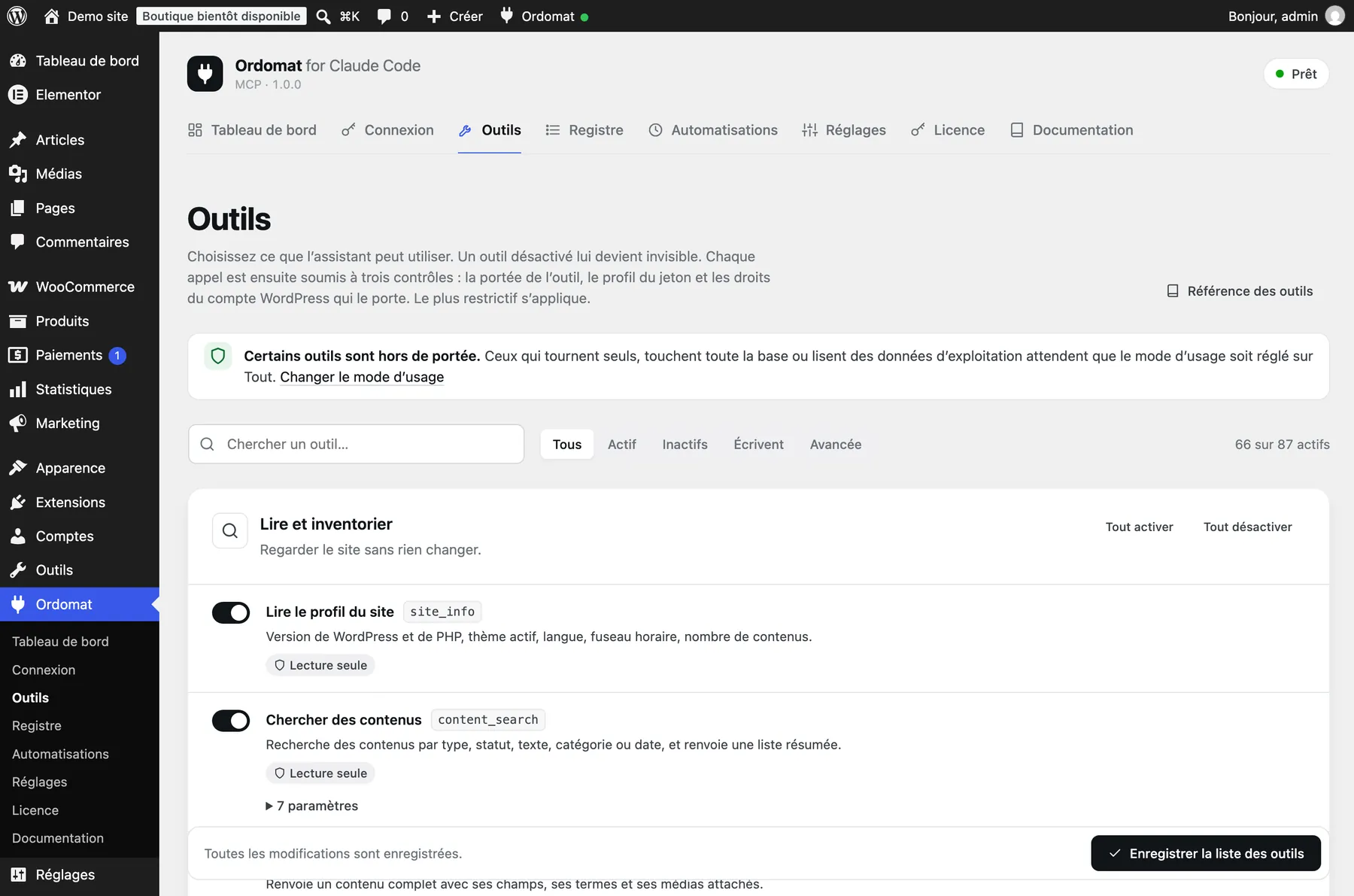
All eighty-seven tools turn on one by one. What you switch off does not even appear to the assistant.
Each tool states its scope, its profile and its parameters. One switch per line.
The free version does what you would do yourself in the editor. Ordomat Pro does what takes a trade.
Ordomat
Free
Forever, on all your sites
Ordomat Pro · 1 site
17,500 FCFA / year
about €26.68 a year
Ordomat Pro · 5 sites
45,000 FCFA / year
about €68.60 a year
Payment by Orange Money, Wave, MTN MoMo, Moov or bank card. A licence that runs out switches nothing off: it stops updates and support, never your work.
| What you ask for | Free | Pro |
|---|---|---|
| Read the site, audit it, find what is wrong | ✓ | ✓ |
| Draft, publish, schedule, fix in bulk | ✓ | ✓ |
| Media, menus, taxonomies, accounts, settings | ✓ | ✓ |
| Read the shop: products, orders, sales | ✓ | ✓ |
| Build pages with a page builder | · | ✓ |
| Block templates, child theme, CSS, palette | · | ✓ |
| Create products and discount codes | · | ✓ |
| Automations, webhooks, scheduled tasks | · | ✓ |
| Install plugins, apply updates | · | ✓ |
| Error log, performance, conflicts | · | ✓ |
| Export and import content, export the database | · | ✓ |
| Edit the child theme's files | · | ✓ |
Nothing installs on your server beyond the plugin itself.
Download the plugin, then, in your admin, Plugins, Add New, Upload. The connector arrives closed: you open it when you are ready.
Free, under the GPL v2 licence or later. No account, no sign-up.
Choose its profile and how long it lasts. The screen writes the command for you to paste.
Paste the command into a terminal, once. Then ask, in your own words.
You need WordPress 6.9 or newer, and Claude Code on your machine.
No. That is the whole point of Ordomat: the same reach as SSH access, without a command line. You describe what you want, in your own words.
Ordomat sends nothing on its own. Claude Code runs on your machine and calls your site. What the assistant reads travels between your computer and your server, not through us. We see neither your content nor your traffic.
No, and that is deliberate. The plugin exposes tools; the assistant lives with you. You choose your client and your Anthropic plan.
Nothing switches off. The tools stay in place and keep working. Only updates and support stop. That is the WordPress convention, and the only honest stance towards a site in production.
No, and we would rather say so. The plugin lives inside WordPress: it handles neither system cron, nor server configuration, nor DNS, nor your host's backups.
Yes. The entry point speaks the Model Context Protocol over the WordPress REST API. The connection screen also gives you a configuration file for other clients.
Ordomat recognises them and reads the text where it actually lives, so audits and link checks tell the truth. With Ordomat Pro, it builds layouts through the builder's own model, not through a guessed format. When it cannot write safely, it says so and names the builder rather than pretending.
Install the plugin, create a token, ask for what you want. You can stop everything with one button.